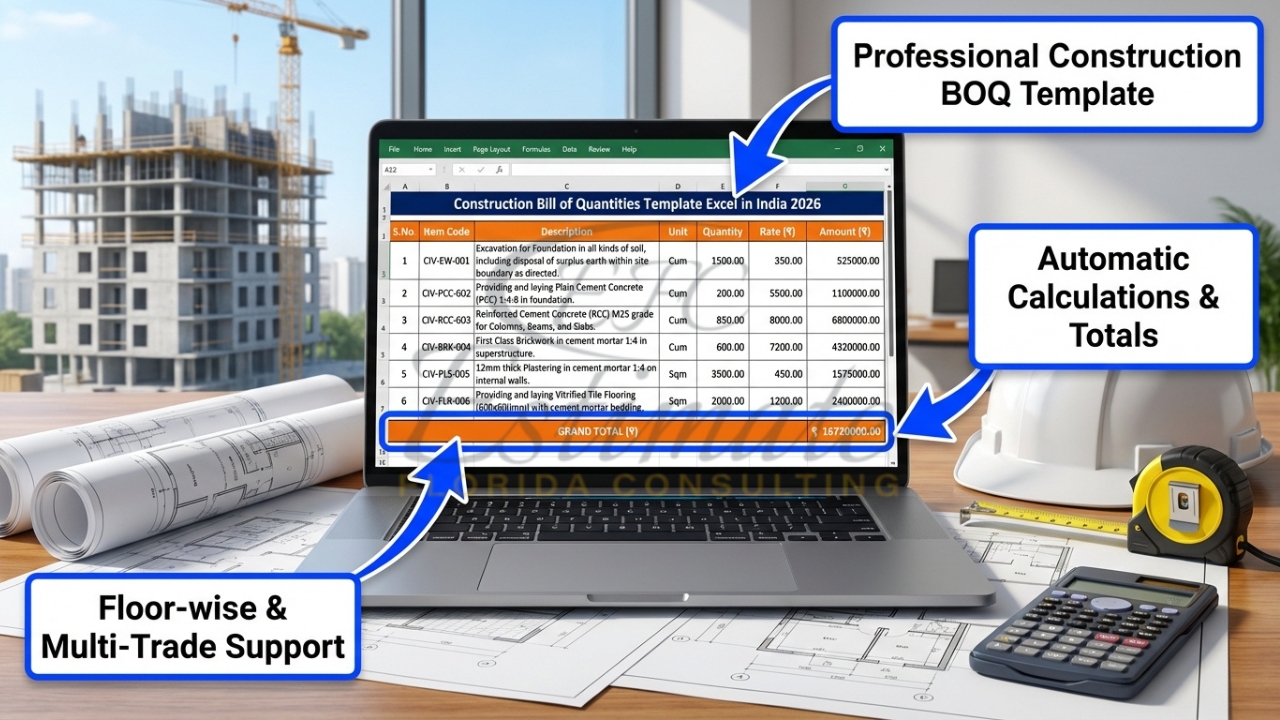
In the Indian construction industry, accuracy and structure are everything when it comes to project estimation. Whether it’s a small residential building or a large commercial complex, every project begins with solid cost planning — and that’s where the BOQ format in Excel for construction plays a crucial role.
A Bill of Quantities (BOQ) is a document that outlines all materials, labor, and related costs required to complete a building project. It serves as a standardized checklist for contractors, estimators, and developers to quantify expenses and ensure no essential components are overlooked. While various digital tools exist today, Excel remains the most preferred and versatile medium for managing BOQs in India because of its ease of use, flexibility, and powerful calculation functions.
What is BOQ in Construction?
A BOQ (Bill of Quantities) is a structured list detailing every item of work required to execute a construction project, along with corresponding quantities, units, and rates. It acts as the backbone of construction estimation and tendering, enabling stakeholders to price work accurately, compare bids objectively, and control budgets throughout the project lifecycle.
In practical terms, a BOQ provides clear visibility into all components — from earthwork and concrete to plumbing, electrical, finishing, and external development. For instance, if a contractor needs to calculate the cost for plastering 350 square meters of wall, the BOQ will list:
- Item description: 12mm Cement Plaster
- Unit: Sqm
- Quantity: 350
- Rate: ₹180 per sqm
- Amount: ₹63,000
By maintaining such structured entries, contractors avoid common estimation errors and create a transparent pricing framework for clients and consultants.
Why BOQ Format in Excel is Important?
Excel-based BOQ formats are invaluable for several practical reasons:
- Accurate cost estimation: With formulas and controlled input cells, Excel helps ensure every calculation — from total costs to GST — is precise.
- Easy modification and updates: When specifications, quantities, or rates change, updates can be made instantly without rebuilding the entire sheet.
- Simplifies tender bidding: A well-structured BOQ serves as a benchmark document for tender submissions, enabling apples-to-apples comparison between bids.
- Improves project planning: It helps quantity surveyors and project managers break work down systematically and allocate budgets per trade or phase.
For most Indian contractors, the simplicity of Excel — combined with its ability to automate calculations and generate summaries — makes it the go-to solution for daily estimating tasks.
Key Components of BOQ Format in Excel
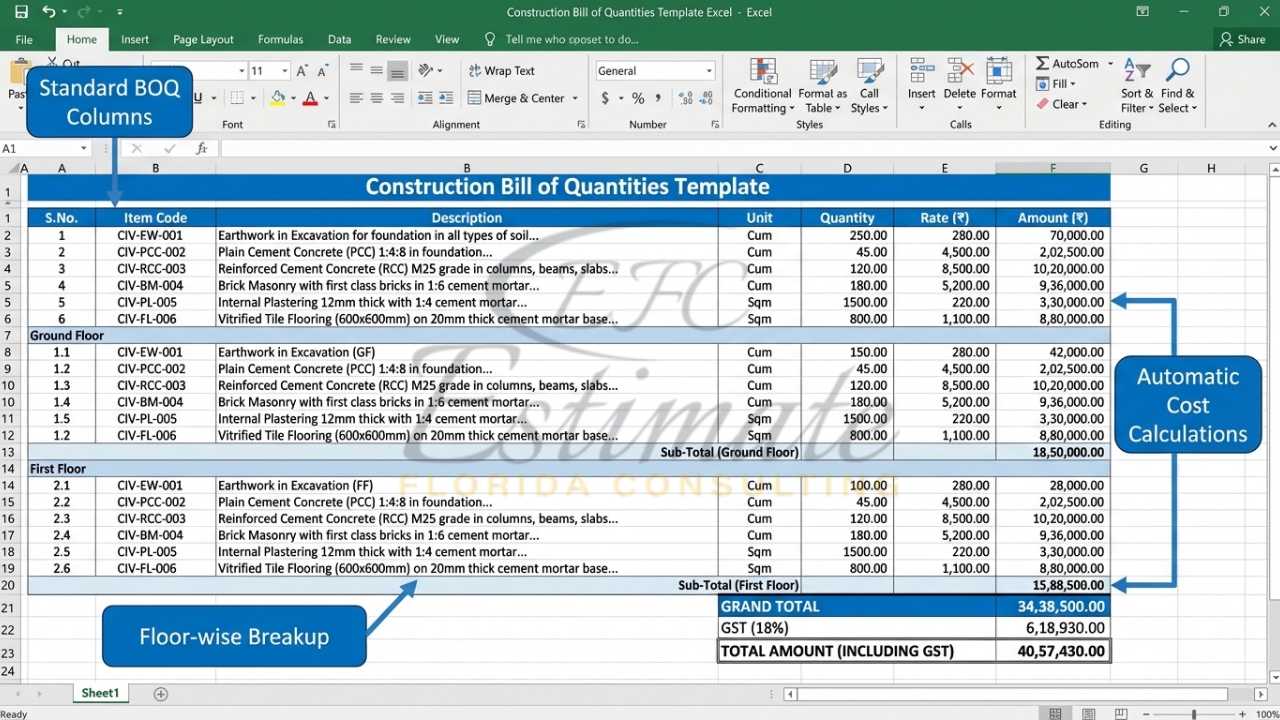
A typical BOQ format in Excel India sheet includes several columns and data points designed to present information clearly and accurately. Below are the essential components:
- Item Number: Serial number for each work item.
- Description of Work: Clear details about the construction activity (e.g., “Brickwork in cement mortar 1:6”).
- Unit: The measurement unit like Sqm, Cum, Nos, Rmt, Kg, etc.
- Quantity: Numerically measured quantity from drawings or site plans.
- Rate (₹): Per-unit rate in Indian Rupees based on market or tender conditions.
- Amount: Quantity × Rate before taxes.
- GST (%): Applicable tax rate depending on material or service type.
- Total Cost: Final cost including GST and other overheads if applicable.
Advanced templates also include columns for remarks, material category, or supplier references, making it ideal for both internal and external use.
Structure of a Professional BOQ Excel Sheet
A well-organized BOQ improves readability and provides better control. Here’s what a professional layout typically includes:
- Header Section:
- Project name and location
- Client / developer details
- Preparation date
- Prepared by (Estimator / Quantity Surveyor)
- Work Categories:
- Preliminaries – Site setup, mobilization, temporary facilities
- Civil Work – Excavation, concrete, masonry, plastering, steelwork
- Electrical Work – Wiring, light fittings, panels, conduiting
- Plumbing Work – Pipes, fittings, drainage, sanitary installations
- Finishing Work – Flooring, painting, false ceilings, fixtures
This segmentation ensures that complex projects are easy to read and revise. When specific trades are outsourced (e.g., electrical or plumbing), their respective sections can be shared independently for quotations or tendering.
Types of BOQ Used in Construction
Depending on project stage and purpose, different formats are used:
- Preliminary BOQ:
Prepared early in design stage for budgetary assessment based on concept drawings or approximate measurements. - Detailed BOQ:
Comprehensive version including full measured quantities and specifications for every item as per final drawings. - Trade-wise BOQ:
Segregates works by specialty — Civil, Electrical, HVAC, Plumbing — often used for subcontractor bidding and allocation.
For example, a detailed BOQ for a residential building will have hundreds of quantified items, while a preliminary BOQ may show only high-level cost per sq.ft. for each trade.
Common Mistakes in BOQ Preparation
Even experienced estimators sometimes face errors that impact final cost accuracy. Key mistakes to watch for include:
- Missing minor but significant items such as wastage or sundries.
- Incorrect quantity calculations based on incomplete site drawings.
- Using outdated or location-irrelevant rates.
- Not accounting for labor costs properly.
- Ignoring GST, surcharges, or contingency costs.
Avoiding these issues ensures your construction BOQ template Excel remains reliable and professional for tendering or client submission.
Benefits of Using Excel-Based BOQ Templates
Excel brings automation and convenience that manual methods simply cannot match. Here’s why most Indian contractors prefer it:
- Automatic formulas: Once set up, totals, subtotals, and taxes calculate automatically.
- Saves time: Reduces manual computation and repetitive tasks across hundreds of line items.
- Minimizes human error: Built-in formula checks catch mistakes before submission.
- Easy customization: Contractors can add or remove categories, change currency, or import material schedules easily.
- Professional presentation: Generates well-aligned tables, print-ready formats, and color-coded categories for clarity.
In short, an Excel-based BOQ spreadsheet for contractors helps track work progress, manage variations, and maintain cost control throughout project execution.
Step-by-Step Guide to Create a BOQ in Excel
Follow these simple steps to prepare a professional BOQ for any construction project:
- Study project drawings and specifications. Identify all elements requiring measurement — structure, finishes, MEP, etc.
- List all work items systematically. Group them under sections (civil, plumbing, electrical).
- Define the correct measurement units. Use standard units like Sqm, Cum, Nos, or Kg for consistency with Indian standards.
- Calculate quantities accurately. Apply measurement formulas based on drawings (for example, volume = length × breadth × height).
- Add rates per unit. Get latest market rates from suppliers, industry databases, or previous tender reports.
- Use Excel formulas to compute totals. Example: =Quantity*Rate for line item amount, and =SUM(Amount Column) for subtotal.
- Include GST and other overheads. These ensure the BOQ reflects the final payable cost.
- Format for clarity. Use cell borders, color highlights, and category headers for easy navigation.
Once prepared, you can save this Excel file as a template for future projects and modify details as needed.
Recommended BOQ Template for Indian Contractors
If you want to save time and start with a professional layout instantly, you can download a ready-made BOQ Excel template for construction from reputed estimation resources such as Construction Estimator India.
This pre-designed Excel sheet includes properly formatted columns for item descriptions, units, quantities, rates, GST, and total cost — perfectly suited for Indian building contractors, builders, and quantity surveyors.
It also allows customization for different trade sections (civil, electrical, plumbing, finishing), enabling quick project setup without starting from scratch.
By using a verified template from a trustworthy platform, you can save setup time, maintain consistency across jobs, and enhance client trust with professionally organized documentation.
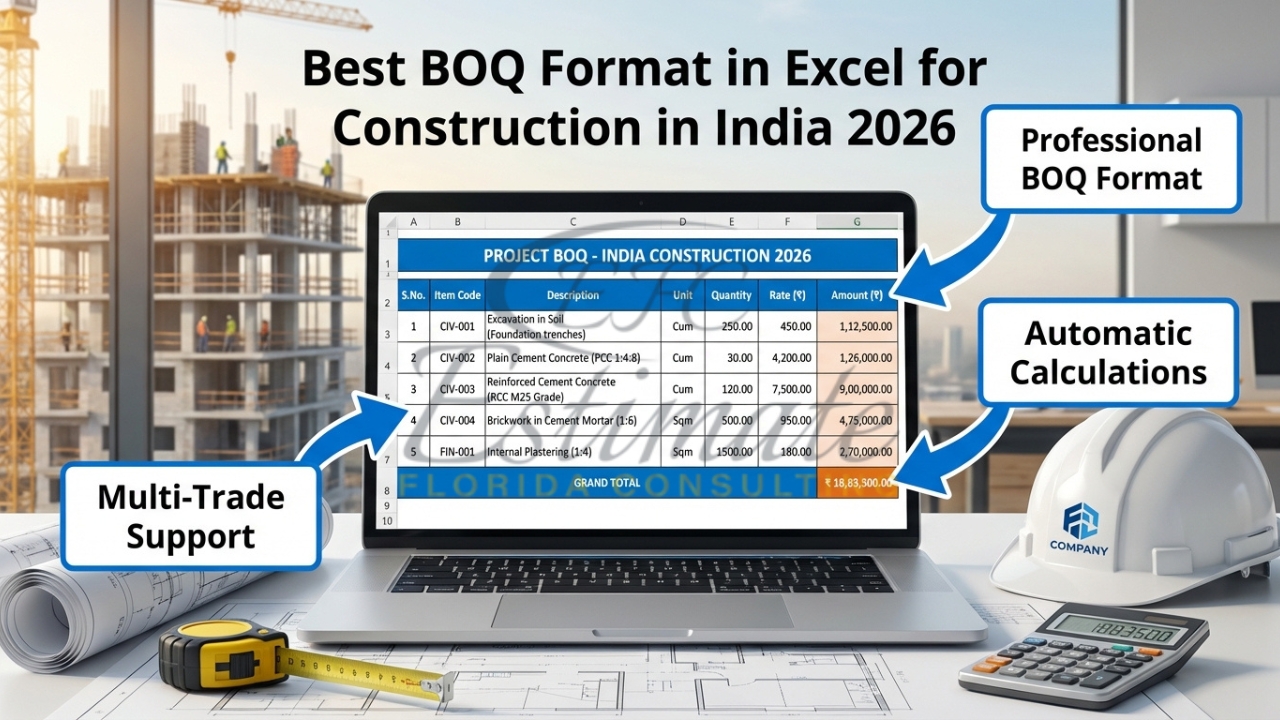
Why Indian Contractors Prefer Ready BOQ Templates?
BOQ preparation can be time-consuming, especially when starting every estimation project from a blank sheet. Standardized templates help solve this problem effectively.
- Time efficiency: A ready Excel BOQ template saves at least 5–10 hours per project.
- Standard format: Ensures uniformity across documents and tender submissions.
- Improved accuracy: Prebuilt formulas minimize miscalculations and missing costs.
- Tender success: Structured and professional BOQs create a positive impression and improve approval rates.
For contractors juggling multiple projects simultaneously, having a consistent bill of quantities format India template eliminates repetitive work and makes coordination with consultants smoother.
Conclusion
In construction, precision equals profit. A well-structured BOQ format in Excel for construction enables you to manage costs effectively, reduce estimation errors, and present professional bid submissions. From itemized quantities to total project value, Excel provides the flexibility and control needed for reliable budgeting.
If you’re looking for a quick, reliable way to prepare your next project estimate, it’s worth trying a ready-made Excel sheet specifically designed for Indian standards. Visit Construction Estimator India to download a BOQ Excel template for construction today — and start saving hours while improving the accuracy of your tenders and cost reports.
Whether you are a contractor, estimator, or architect, this small investment in structured documentation will pay off through smarter decisions, competitive pricing, and better profitability in every project you undertake.